
Repair order software,
everything attached.
One order carries the job from the first estimate to the paid invoice, with the inspection, the customer's sign-off, the parts and the hours on it. Nothing is copied from one document into the next.
- One number, estimate to invoice
- Approvals stored on the order
- Locked once it is billed
The repair order is the one document everyone touches
The service writer prices it, the technician works from it, the customer signs it and the bookkeeper bills from it. On paper, or spread across three programs, each of them ends up holding a different copy, and the differences come out at pickup.
- A job card on the bench that no longer matches the estimate the customer approved
- Hours and parts written up at the end of the day, from memory
- An invoice retyped from the job card, missing the line that was agreed by phone
Estimate, repair order and invoice are one order
The estimate is not converted into a separate repair order, and the repair order is not copied into an invoice. It is the same order the whole way through, and only the prefix in front of its number changes.
- Booked, no document yet
Scheduled
The booking already names the customer and the vehicle, so the order starts with both.
Scheduling - EST-1042Estimate
Estimate
Labor, parts and inspection findings go onto the order as priced lines.
Digital Inspections Estimate sent
The customer opens the order itself from a link on their phone.
Customer MessagingApproved
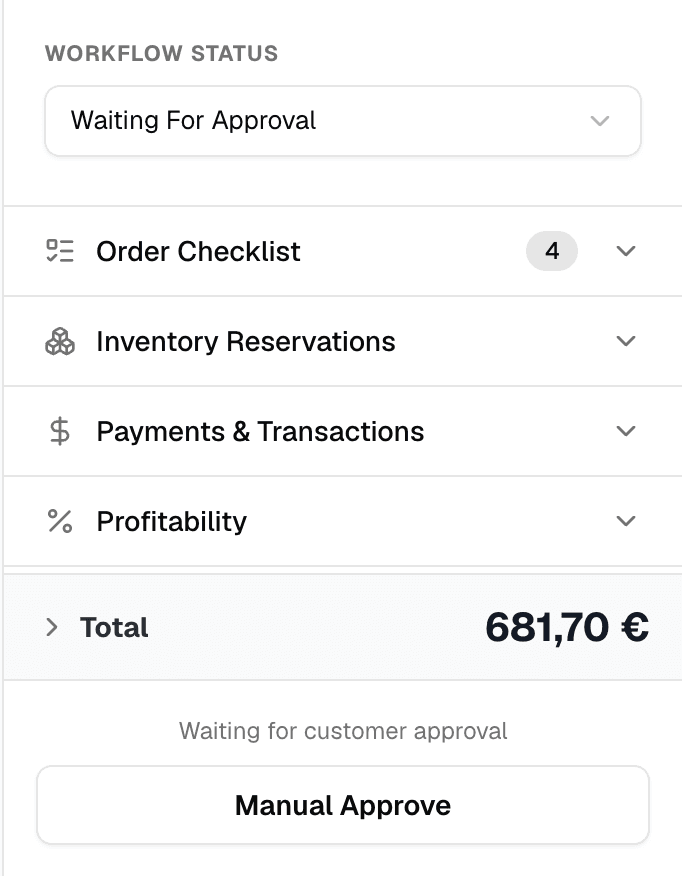
Their sign-off is stored on the order: the date, the method and the total they agreed to.
Estimates- RO-1042Repair order
In progress
EST-1042 becomes RO-1042, and technicians clock time against its labor lines.
Workflow Completed
Parts reserved for the job are taken out of stock.
Inventory & Parts- INV-1042Invoice
Invoiced
The lines lock, so the order and its invoice cannot drift apart.
Payments & Invoicing Paid
The payment is recorded on INV-1042, still the same 1042.
Reporting
You set the three prefixes in settings. The number under them never changes, so a job's estimate, repair order and invoice are always found together.
What rides on a repair order
Everything the job needs is attached to it, not kept beside it.
Labor at your rates
Labor lines price at your labor rate, adjusted by your labor matrix if you use one. A canned service adds a whole job in one step.
Parts from your shelf
Parts added from inventory can be reserved for the job, and completing the order takes them out of stock.
Inspection findings
Findings from the digital inspection sit on the same order, photos included. What the customer asks for becomes priced work.
Technicians and hours
Assign a whole section or a single line to a technician. Time clocked against a labor line stays on the order.
Fees and tax
Shop supplies and shop fees follow your own rules, and prices show tax-inclusive or tax-exclusive, the way your market reads them.
Customer and vehicle history
The order opens next to the customer's and the vehicle's history, including the work they put off last time.
Signed off on the order, locked once it is billed
An authorization is part of the order itself. Whatever changes after the customer said yes is measured against what they said yes to.
- The customer approves line by line from a link, with no account, and can sign on their phone
- An approval taken at the counter or by phone is recorded too, with who took it and how
- The authorized total is kept, so a later change to the order shows against it
- Once it is invoiced, the lines lock and the invoice keeps exactly what it billed
What is repair order software?
It is where a shop writes up a job and runs it: the customer, the vehicle, the labor and parts, the approval and the status. In GarageFlow the repair order is the same record as the estimate before it and the invoice after it, so a job is written up once.
Is the estimate a separate document from the repair order?
No, it is one order. It shows as an estimate (EST-1042) until the work starts, as a repair order (RO-1042) while the job is in progress, and as an invoice (INV-1042) once it is billed.
Can I change a repair order after the customer approved it?
Yes. The total they authorized stays on the order, so any change you make afterwards is measured against what they agreed to.
What happens to a repair order once it is invoiced?
Its lines lock, and the invoice keeps a snapshot of what it billed, so the PDF the customer received does not change under them. If something needs correcting, someone with the permission can reopen the invoice.
Can I print a repair order?
The estimate and the invoice each download as a PDF. While the job is in progress the team works from the order on screen, where the lines, findings and hours are always current.
Are past repair orders kept with the vehicle?
Yes. Every order stays on the vehicle's and the customer's history, including sections the customer declined and findings they deferred, so the next visit starts from what is still outstanding.
Ready to run a tighter shop?
Set up your shop in minutes and see every job, estimate, and payment in one flow. You won't be charged until the trial ends.
- 14-day free trial
- No per-feature add-ons
- Cancel anytime