Oil stickers, printed from the order or the phone
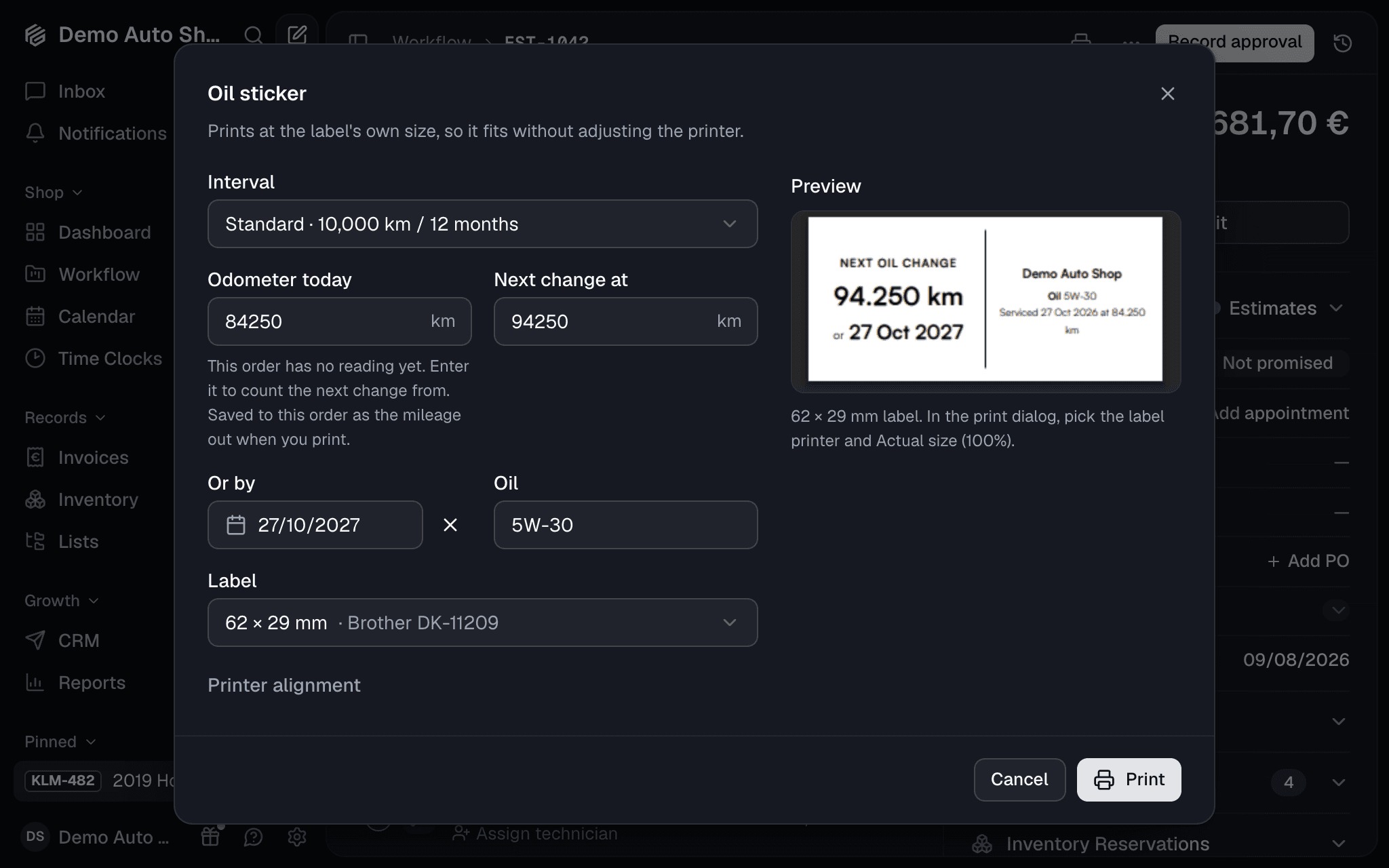
Your customer drives off with the next oil change on the windshield: a mileage, a date, or both. GarageFlow prints the sticker as a PDF the exact size of your label, so there's no printer driver to install. Oil stickers are on every plan.
Print it where the work is
- On the order: Print → Oil sticker in the header. The dialog fills in today's odometer from the order, adds your interval, and picks up the oil grade from the order's lines. The preview is the PDF itself.
- On the phone: a job with a car has Print an oil sticker. Print through AirPrint, or Share the PDF to a label printer's own app, such as Brother iPrint&Label.
Anyone who can open the order can print one, mechanics included: a sticker carries no prices.
Set it up once
Settings → Oil Stickers holds your intervals (Standard and Extended to start with) and the label your printer takes. Common DYMO, Brother, Zebra and DuraReady labels are built in, and Custom size covers any label from 20 to 150 mm on each side.
What happens after
The car's page shows its next oil change, and turns to Oil change due when the date or the mileage comes up. On Pro, the Oil sticker due campaign emails the customer a reminder, judged from how far they actually drive.