Purchase orders, from the job to the shelf
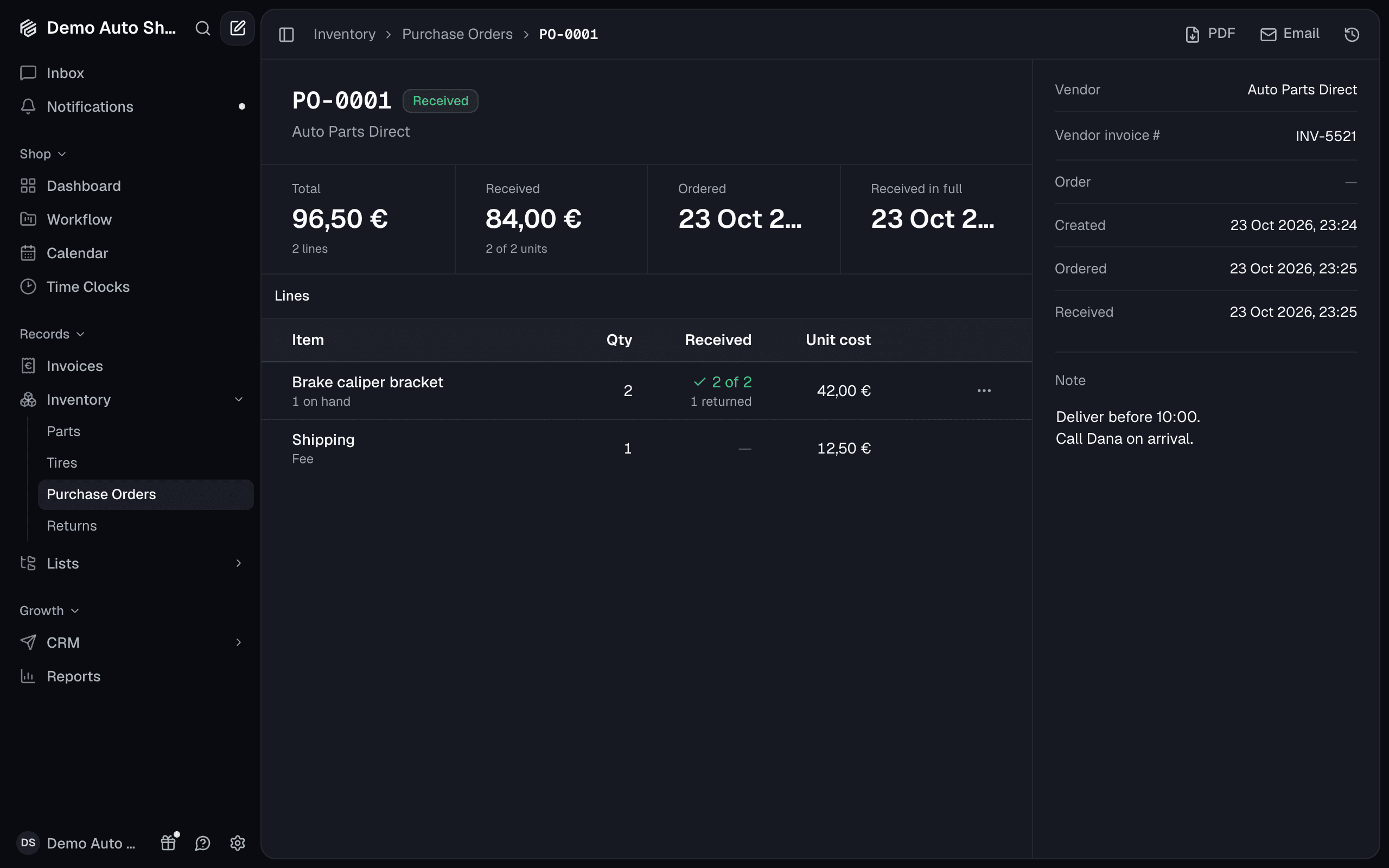
Every part you order now has a paper trail. A purchase order is what you ordered from one vendor: the lines, what each cost, and how much of it has arrived. You'll find them under Inventory → Purchase Orders, on every plan.
Order from where the need is
- From a job: a part or tire line's menu has Order from vendor. The line goes on that vendor's draft for the job.
- From the Parts & Tires board: tick the lines, then Create purchase orders, one draft per vendor.
- From Low Stock: Reorder tops every part back up, less what's already on order.
Email sends the order to the vendor from your shop, with the PDF attached.
Receive at the cost you paid
Receive each line as it arrives, or Receive all. The parts go on the shelf, and the part's cost becomes what you paid, so your pricing matrix prices the next line from the real figure. A part ordered for a job is marked as received on that job and held for it.
Returns and your books
- Returns: a part that came in wrong goes back to the vendor on a return, from the purchase order or straight from the shelf.
- QuickBooks and Xero: a received order goes to your books as a bill, and a refunded return as the vendor's credit.
A vendor's price list
Import price list on a vendor's page takes a CSV of up to 20,000 rows and updates your costs by part number. Only the cost changes.